
Create a group
You do this once, on your first device. Every other device then joins the group instead.
-
Get a creation link from the relay. Sign in to the relay’s admin page —
https://tpp.example.com/admin/— with the admin password. Open Tokens, type a name you will recognise (for example Work laptop) and press Generate token.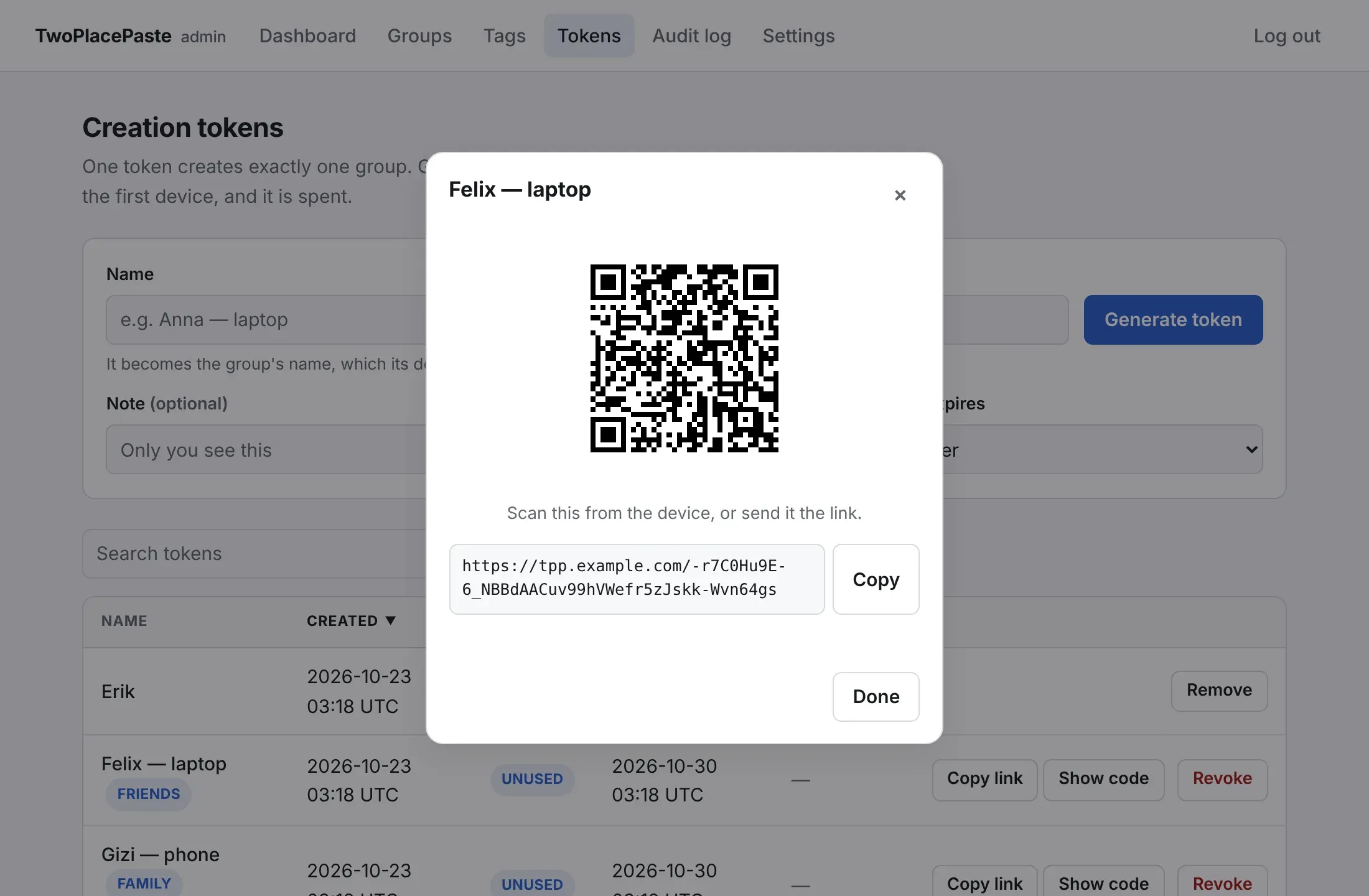
If someone else runs the relay, ask them for this link instead.
-
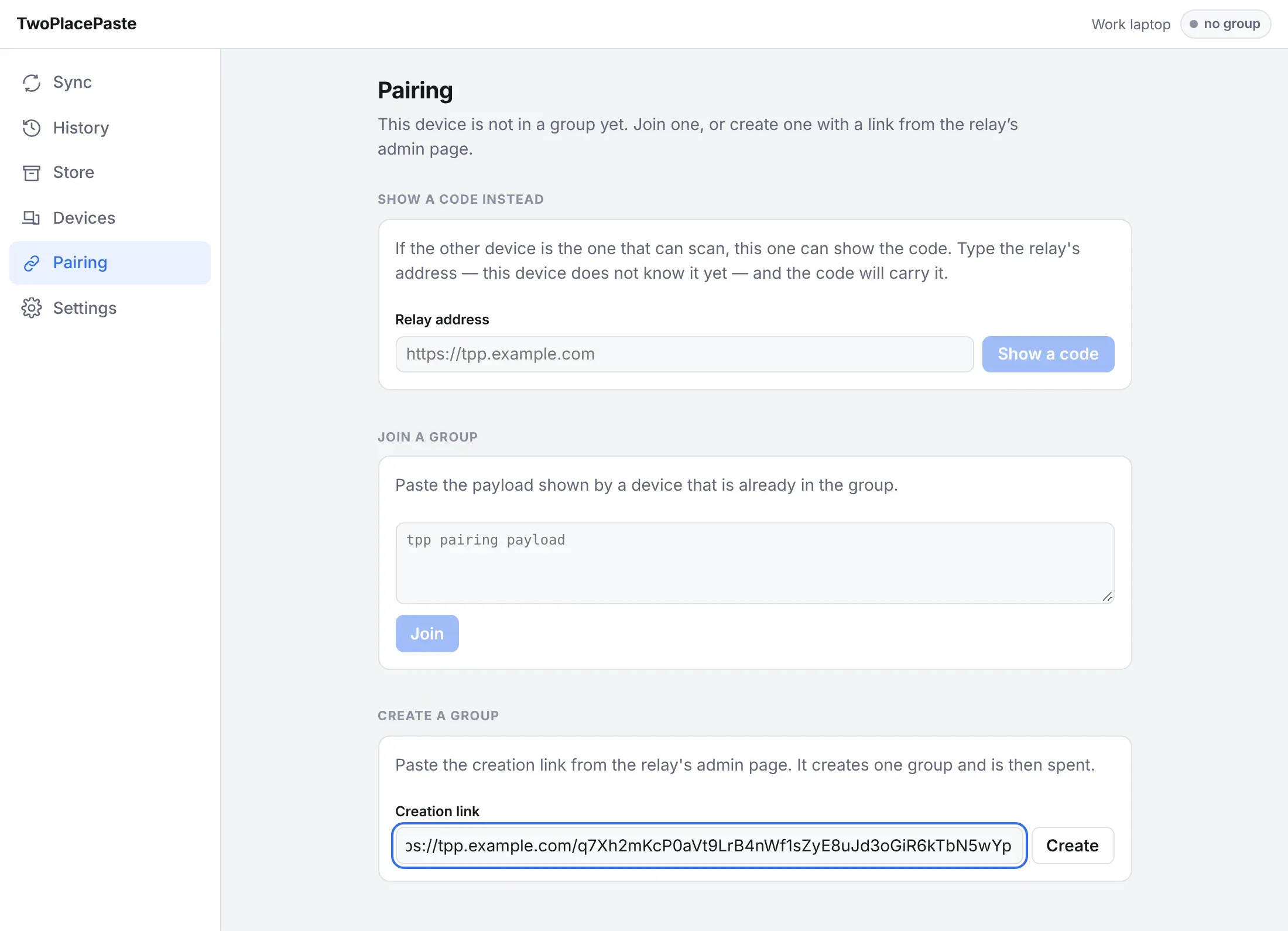
Paste it into the app. In the desktop app, open Pairing. Under Create a group, paste the link into Creation link and press Create.
-
Done. The app says Group created and the badge in the top right turns to connected.
The device generates the group key itself and only ever sends the relay a copy wrapped to its own public key.