
Settings
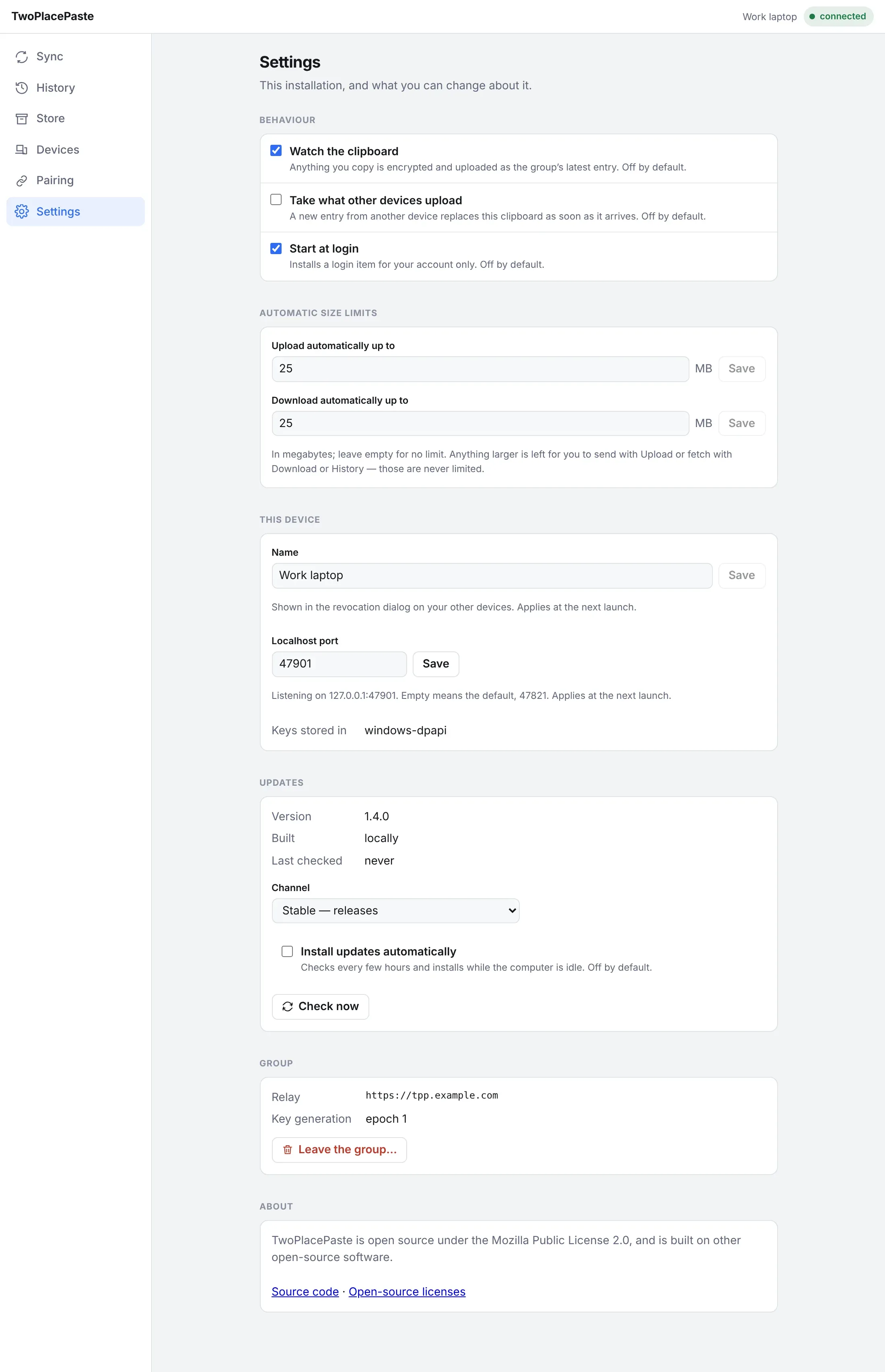
Behaviour
Section titled “Behaviour”| Setting | Default | What it does |
|---|---|---|
| Watch the clipboard | Off | Anything you copy is encrypted and uploaded as the group’s newest entry. |
| Take what other devices upload | Off | A new entry from another device replaces this clipboard as soon as it arrives. |
| Start at login | Off | Starts the app when you log in. A launchd agent on macOS, a Run registry entry for your user on Windows. |
Automatic size limits
Section titled “Automatic size limits”| Setting | Default | What it does |
|---|---|---|
| Upload automatically up to | 25 MB | The largest copy Watch the clipboard uploads on its own. |
| Download automatically up to | 25 MB | The largest entry Take what other devices upload downloads on its own. Decided before downloading. |
Leave a field empty for no limit. Anything over a limit waits for you: send it with Upload, or fetch it with Download or History — those are never limited. A notice at the top of the app (and a ! on the tray icon) says what was held back, until you dismiss it or the next entry moves.
This device
Section titled “This device”| Setting | Default | What it does |
|---|---|---|
| Name | The computer’s name | What your other devices show for this one, for example in the revoke dialog. Applies at the next launch. |
| Localhost port | 47821 | The port of the app’s own page, on 127.0.0.1. Change it if another program uses 47821. Applies at the next launch. |
This section also shows where the keys are kept: the macOS keychain or a DPAPI-sealed file on Windows.
Updates
Section titled “Updates”Channel, automatic updates and rollback — see Updates.
Leave the group
Section titled “Leave the group”Disconnects this device and deletes its keys — both its own private key and the group key — and returns the app to its setup screen with a new identity. Use it to move a computer to a different group.
Links to the app’s source code and to Open-source licenses: the license text of every library the app is built from, as a plain-text page.
The settings file
Section titled “The settings file”Settings are stored as plain JSON in desktop.json, so you can edit it by hand — for example to
fix the port when the app cannot start. It holds nothing secret.
| OS | Location |
|---|---|
| Windows | %APPDATA%\TwoPlacePaste\desktop.json |
| macOS | ~/Library/Application Support/TwoPlacePaste/desktop.json |